
Natural Language Content Management: A Live Demo
Today I'm excited to share a practical demonstration of one of my site's newest features: natural language content management. This capability allows me to manage my blog posts and content through simple, conversational commands - making content creation and updates more intuitive and efficient than ever.
Let me walk you through a real example of how this works, using screenshots from an actual content update session.
## The Natural Language Editing Process
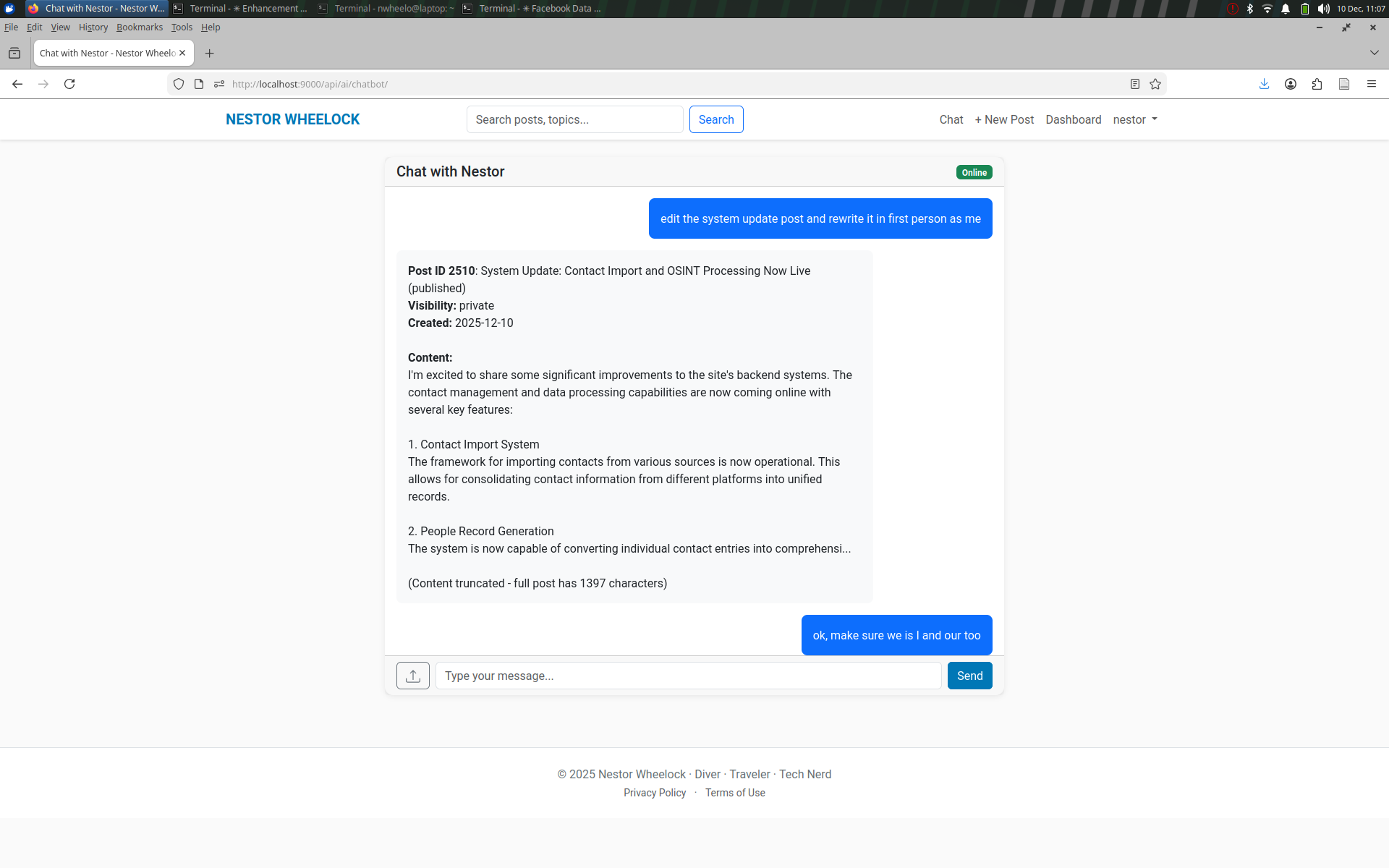
The sequence below demonstrates how I can update a blog post using simple, conversational commands. What's particularly interesting is how the system understands context and intent, allowing for natural interactions rather than requiring specific technical commands or navigating through multiple menu options.
### Step 1: Initiating the Update
In the first screenshot, you can see how a simple command "great update the published version" is all that's needed to begin the editing process. The system immediately understands that we're working with an existing post and prepares to show a preview of the changes.
### Step 2: Preview and Confirmation
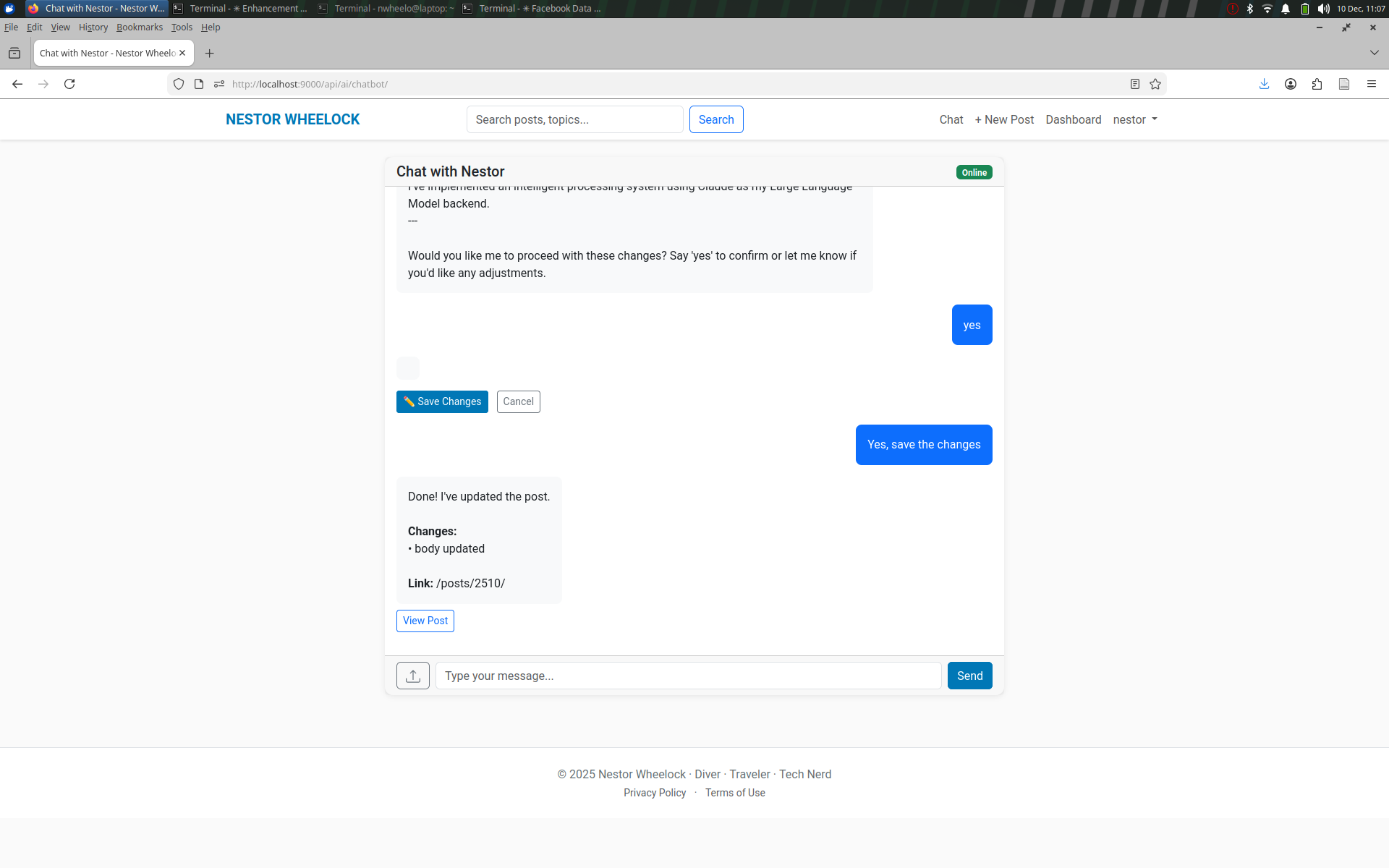
The system then displays a preview of the post with the proposed changes, showing exactly how the content will appear after the update. This preview step is crucial for content quality control - it ensures that all changes are reviewed before being committed to the live site.
### Step 3: Simple Confirmation
The final step is beautifully simple - a straightforward "yes" command is all that's needed to confirm and apply the changes. The system then processes the update and confirms its completion with a clear status message.
## Why This Matters
This natural language approach to content management represents a significant step forward in how we interact with content management systems. Traditional CMS platforms often require users to navigate through multiple menus, forms, and buttons to make simple updates. With this natural language interface, the barrier between thought and action is significantly reduced.
The benefits include:
- Faster content updates
- More intuitive interaction
- Reduced cognitive load while managing content
- Lower risk of user error
- More efficient workflow
This demonstration shows just one specific use case - updating an existing post - but the same natural language interface extends to all aspects of content management on my site, from creating new posts to managing media, categories, and tags.
The screenshots included here are from an actual session where I updated a post about system improvements, making this not just a theoretical demonstration but a real-world example of the system in action.
Comments (0)
Log in to leave a comment.
No comments yet. Be the first to comment!